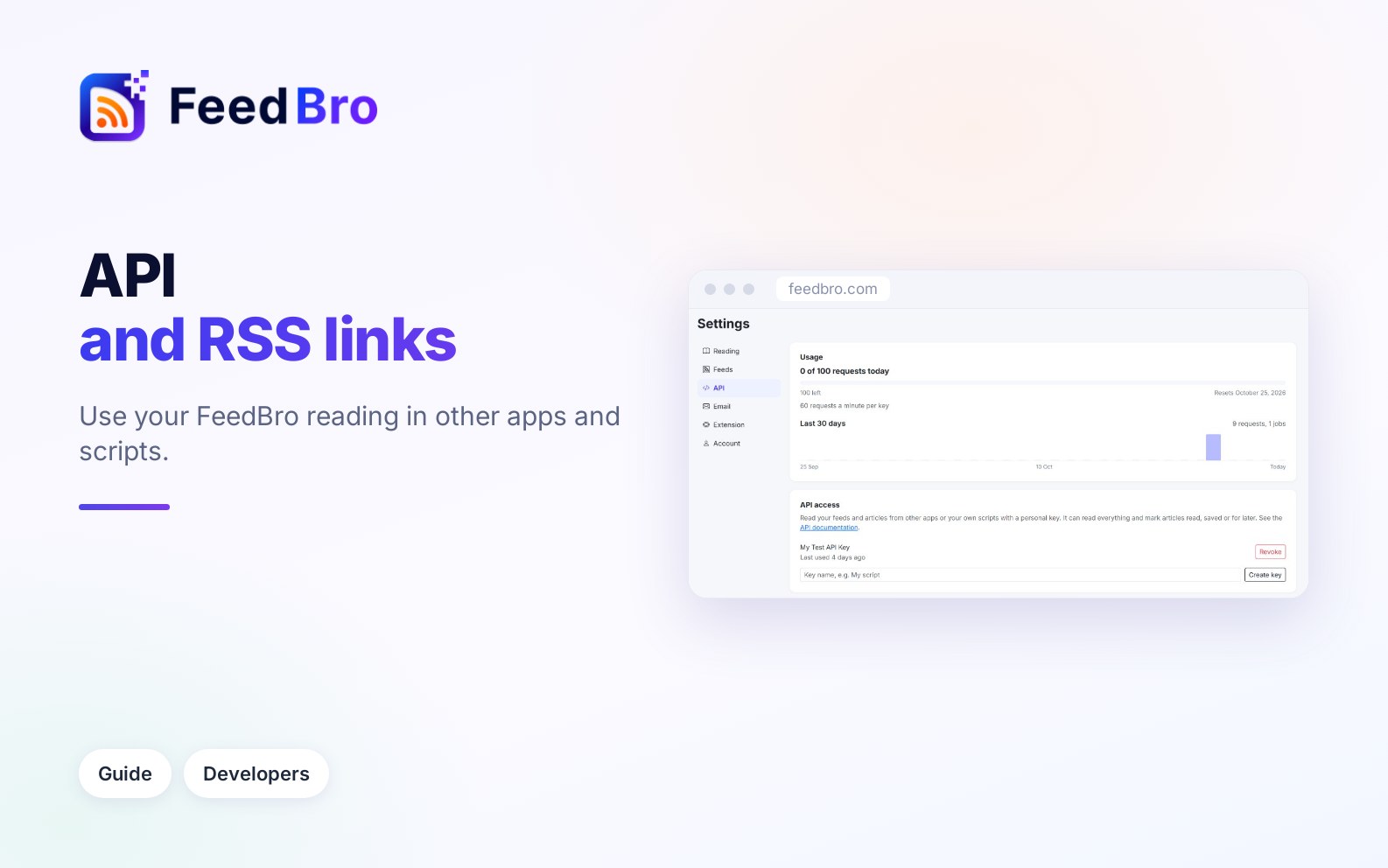
You can use your FeedBro reading in other apps and tools in two ways. RSS links turn your Saved articles, or a collection, into a feed that any RSS app or automation tool can read, with no setup at all. The developer API lets your own scripts and apps read your feeds and articles, and on Coffee Club also mark them read or saved.
Your reading as RSS links
An RSS feed is a list of newest articles that apps can check for updates. FeedBro gives you private RSS links for your own lists:
- Saved: the articles you saved in FeedBro. Every plan has this link.
- One link per collection, with the newest articles from all the feeds in that collection. This is part of Coffee Club.
You can use them to send your saved articles to another reader app, a "read later" service, a team chat, or an automation tool that understands RSS.
How to copy your RSS links
- Sign in on feedbro.com and open Settings (from the menu under your profile picture).
- Click the Feeds tab.
- Find the card Your reading as RSS.
- Next to Saved (and, on Coffee Club, next to each collection's name), click Copy. The button changes to Copied for a moment. You can also click inside the box to select the link.
- Paste the link into your other app where it asks for a feed address.
On the Free plan, your collections are listed with a lock and the note "Collection links are part of Coffee Club." On Coffee Club, if you have no collections yet, the card says "Create a collection to get an RSS link for it too."
What is in each item
- The article's title and a link to the original article on the publisher's site.
- The short summary the feed itself published (up to about 600 characters), when there is one.
- The publication date.
The full article text FeedBro fetched is not included. Your other app opens the original page when you click an item.
Limits on each plan
On Free you get the Saved link only, with your latest 20 saved articles. It refreshes at most every 15 minutes.
On Coffee Club you get the Saved link and a link for every collection, with 50 articles each. They refresh at most every 5 minutes.
If you leave Coffee Club, your collection links still open, but an RSS app shows only one item saying "Collection links are part of Coffee Club."
Keep the links private
The links contain a secret code and work without signing in, so that other apps can read them. This also means anyone who has a link can read that list, so keep them to yourself.
If a link has been shared by mistake:
- Open Settings, then the Feeds tab.
- In Your reading as RSS, click Reset links.
- You see "Your old RSS links no longer work. The new ones are below." Copy the new links into the apps you still want to use.
Resetting turns off every old link at once: the Saved link and all collection links.
The developer API
An API is a way for programs to talk to FeedBro directly. With a personal API key (a long secret code that acts like a password for one program), a script or app can read your feeds, collections, articles and saved pages as JSON (a simple text format programs read). It uses your own account, so what it changes shows up in FeedBro, and the other way round.
Limits on each plan
On Free you get 1 key and 500 requests a month, up to 30 requests a minute per key, for reading only.
On Coffee Club you get up to 5 keys and 100 requests a day, up to 60 requests a minute per key. Keys can also mark articles read, saved or for later. They can start background jobs (such as fetching an article's full text or pulling the main text out of any web page) and send results to a webhook (an address on your own server that FeedBro calls when something is ready).
The monthly count on Free starts again on the 1st of each month, and the daily count on Coffee Club at midnight UTC. Most requests count as 1. Background jobs count as more because they do more work: fetching an article or extracting a page counts as 10, following a feed as 5, starting a website watch as 25. If a job fails, it counts as 1 and the rest is given back.
How to create an API key
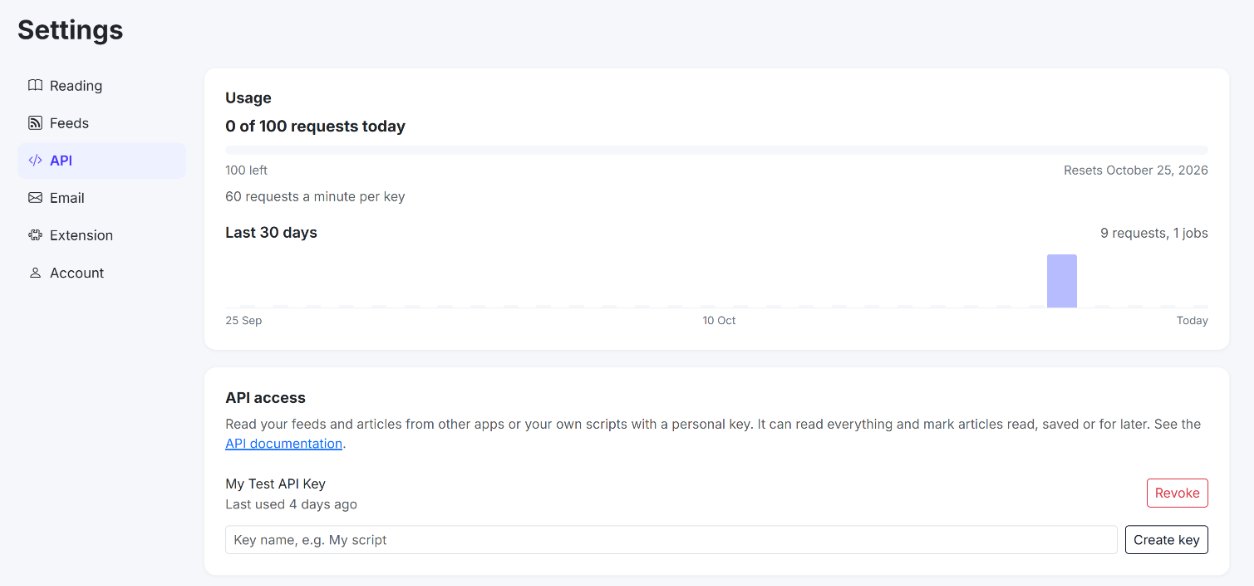
- Open Settings and click the API tab.
- In the API access card, type a name for the key in the box (for example "My script"), so you can tell your keys apart later.
- Click Create key.
- The key appears with the message "Copy this key now. It is shown only once." Click Copy and store the key somewhere safe, such as a password manager.
Your keys are listed in the same card with their name and when they were last used ("Never used yet" until the first request). To stop a key working, click Revoke next to it and confirm. If you lose a key, revoke it and create a new one.
How to see how much you have used
The Usage card at the top of the API tab shows, for example, "12 of 500 requests this month", how many are left, the date the count resets, and how many requests a minute each key may send. The chart Last 30 days shows your requests per day. Below the keys, Recent background jobs lists jobs your keys started, with their status (Waiting, Running, Done or Failed), how long they took and what they counted as.
The API documentation and the playground
The full documentation is on the FeedBro API page. You can reach it from the API documentation link in Settings, or from Developer API at the bottom of every page. It covers every request, with example answers and every error message.
The page has a playground called Try it, where you can test requests without writing any code:
- Paste your key into the API key box. It is hidden as you type; the eye button shows it.
- Choose a request from the Call list, for example GET /summary/unread-count. The line below says what it does, whether it needs Coffee Club, and what it counts as.
- Fill in any fields shown. Fields marked with * are required.
- Click Send. The answer appears below, with its status and how many requests you have left.
- Click Copy as curl to copy the same request as a command you can run in a terminal.
Playground requests are real: they use your account and count toward your plan. Your key is not saved anywhere and stays in the box only until you leave the page. If you use Postman (a popular tool for testing APIs), the page also has Download the Postman collection.
A first example in plain words
Every request goes to an address starting with https://feedbro.com/api/v1 and carries your key in a header called Authorization, in the form Bearer followed by a space and your key. For example, a program that asks GET /summary/unread-count gets back one number, how many unread articles you have across all your feeds, plus the time it was worked out. A program that asks GET /articles with filter=unread gets your unread articles, 25 at a time, newest first. Each comes with its title, link, summary, picture and whether it is read, saved or in Read Later.
Reading an article through a key does not mark it read in FeedBro. The API also never makes your program wait while a site is fetched. It answers with what FeedBro already has, and anything that needs fetching runs as a background job.
Good to know
- Treat an API key like a password, because anyone who has it can read your account. Never paste it into a public page or share it in a screenshot.
- If an app only understands RSS, you don't need a key at all. Use your RSS links instead.
- Your RSS links and API keys are separate. Resetting your RSS links does not affect your keys, and revoking a key does not affect your links.
If something doesn't work
"Unauthenticated."
The key is missing, mistyped or revoked. Check the Authorization header, or create a new key.
"On the Free plan an API key can read only." or "Background jobs and webhooks are part of Coffee Club."
The request needs Coffee Club.
"Too many requests this minute. Wait a moment and try again."
Your program is sending requests too fast. Wait the number of seconds the answer gives, then try again.
"Monthly limit reached" (Free) or the daily limit (Coffee Club)
Your requests are used up until the reset date shown in the answer and on the Usage card.
"The Free plan includes 1 API key. Coffee Club allows up to 5." or "You can have up to 5 keys. Revoke one first."
Revoke a key you no longer use before creating a new one.
My RSS app stopped updating
If you clicked Reset links, the old links no longer work. Copy the new ones from Settings, Feeds tab.
My collection's RSS link shows one item about Coffee Club
Collection links need Coffee Club. The Saved link works on every plan.
My saved article isn't in the RSS app yet
The links are refreshed at most every 15 minutes on Free and every 5 minutes on Coffee Club, and your RSS app checks on its own schedule. Wait a little and check again.