
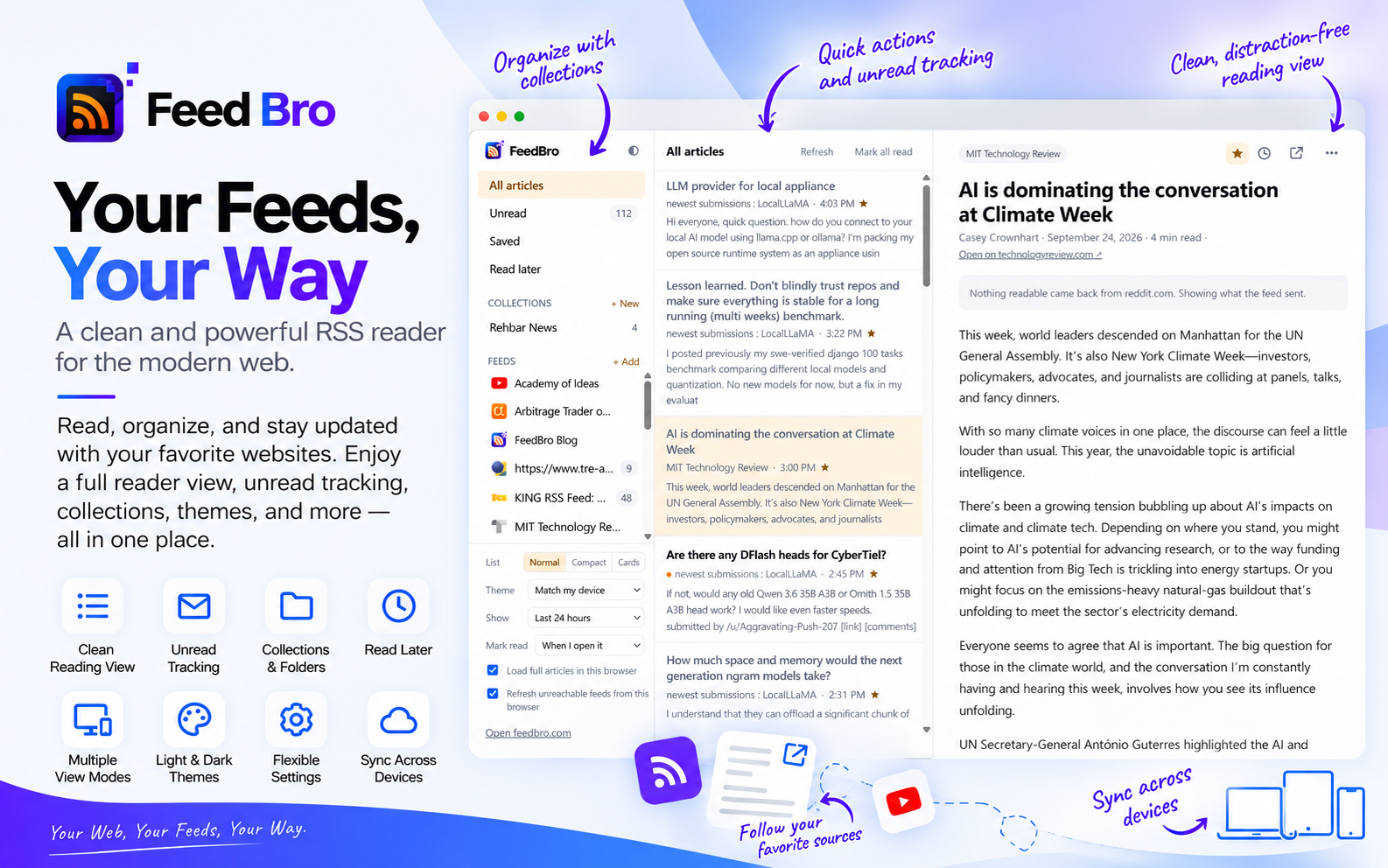
People kept telling us the same thing. They would install the extension, click the toolbar icon, get a popup with their unread articles in it — and go looking for somewhere to actually read. There wasn't one. The popup was for glancing; reading meant a trip to the website.
So the extension now has a reader: a whole page, in its own tab, with your collections and feeds down the left, the article list in the middle, and the article itself on the right.
Opening it
Three ways, whichever suits: the Open Reader button at the top of the popup, right-clicking the toolbar icon, or Alt+Shift+R from anywhere. Clicking an article in the popup opens it there too, rather than sending you out to the publisher's site.
It fetches articles in your browser, not on our server
This is the part worth understanding, because it changes what a reader can do.
Most feeds send a summary and a link. To show you the whole article, a hosted reader has to fetch the page from its own servers — and a great many sites decline. Consent walls, bot checks, "subscribers only": all of them answer a datacentre differently than they answer a person.
The extension is not a datacentre. It is your browser, with your cookies and your address, so it simply asks the site for the page the way opening a tab would. That means two things that were not possible before:
- Sites that block servers read normally, because nothing about the request looks like a server.
- Publications you actually subscribe to read normally too. If you are signed in to a paper in that browser, the reader gets the article you are already paying for. We are not bypassing anything — your own subscription is doing the work.
Whatever it fetches goes back to your account, so the same article is waiting on feedbro.com and on your phone. One browser does the fetching; every device gets the result.
Feeds nothing else can reach
The same idea, one step further. An intranet address, a feed behind your company VPN, a feed that only answers a signed-in browser — no hosted reader can follow those, because no server can see them. Yours can.
Paste the address into the reader's sidebar. If our server cannot fetch it, your browser fetches the whole feed and hands it over, and the feed is then marked as this browser's to keep updated. Its articles live on your account like any others: readable on the website and on your phone, even though neither could have fetched them.
It is off until you turn it on, and it needs permission to read pages in that browser — asked for from a button the first time it is needed, never at install.
Reading, arranged your way
- Three list layouts. Normal, compact headlines for skimming a busy morning, or cards with pictures.
- Four themes. Match your device, light, dark or sepia.
- When an article counts as read. When you open it, when you scroll past it in the list, or only when you say so.
- How far back the list goes. Everything, or the last day, week or month — and the unread counts follow the same window, so a feed never claims more than the list can show.
- Keyboard shortcuts. j and k to move, Enter to open, s to save, l to keep for later, u to mark unread, / to search. The same keys work on feedbro.com.
All of it lives on your account rather than in one browser, so setting the list to Compact on the website opens the extension's reader compact, and the other way round.
Feeds and collections, in the sidebar
Your collections are there — the same ones as on the website, since they belong to your account — and picking one filters the list exactly as picking a feed does. New ones can be made from the reader.
Each feed has its own settings behind the gear beside it: give it a name of your own, ask for it to be checked more often, or cap how many of its articles you see when it floods everything else. Those are yours alone; a feed is shared by everyone following it, so your name for it, and your cap, change nothing for anybody else.
What has not changed
The popup is still there and still does what it did: follow the site you are on, save a page, glance at what is unread. Rules and alerts are still set up on feedbro.com and still apply everywhere. Your account is still the record of what you have read — this is a better window onto it, not a separate copy.
Getting it
The extension is on the Chrome Web Store and in Firefox Add-ons. Install it, connect your account in a click, and press Alt+Shift+R.
If something in the reader does not do what you expect, tell us — the flag in the reading panel reports an article, and the contact page reaches us for everything else.