
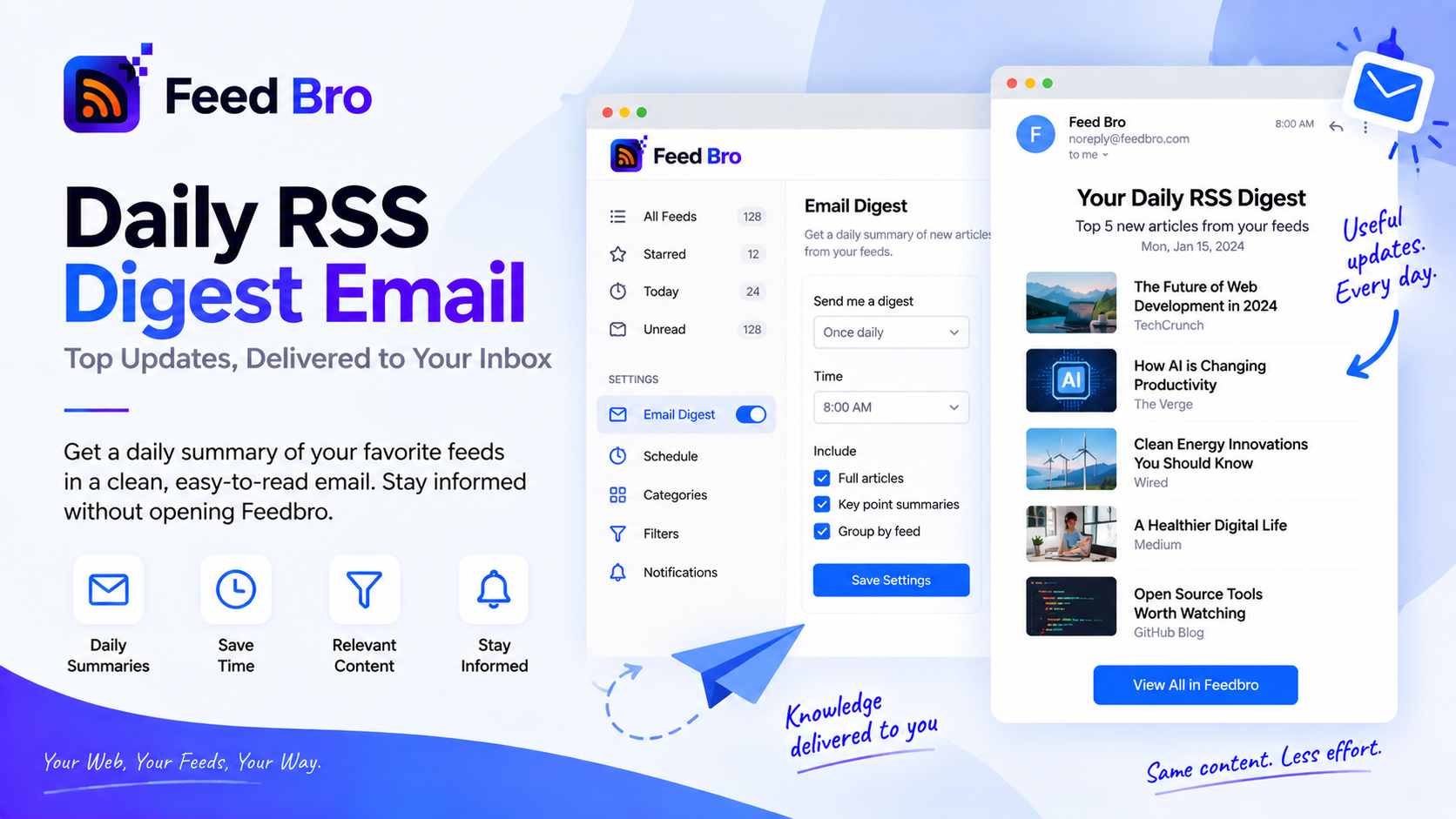
Not everyone wants to open a reader. Some people want the day's reading to arrive, once, in the place they already look — and to ignore it on the days they're busy.
That's the FeedBro digest: one email with what's new across the feeds you follow, daily or weekly, at a time you don't have to think about.
What's In It
The newest articles from your own feeds since the last one — up to ten, each with its title, source and a link straight into FeedBro. Nothing recommended, nothing promoted, nothing from sites you didn't choose.
If nothing new turned up, no email is sent. A digest that arrives empty is just noise with better manners.
Daily or Weekly
Daily suits people following news and release notes. Weekly suits a reading list of essays and long pieces you'd rather batch for a Saturday. It's one setting, changeable whenever your reading habits change.
Digests go out in the morning, so it's waiting rather than interrupting.
Turning It On
- Open your settings.
- Choose Daily or Weekly under digest frequency.
- That's it. The next one goes out on the next run.
Changed your mind? Set it back to off, or use the unsubscribe link in any digest — that choice is honoured everywhere, not just for digests.
Why an Email, When You Have a Reader?
Because habits beat intentions. A reader waits for you to remember it; an email meets you where you already are. The digest links straight back into FeedBro, so the moment something is worth reading properly you're one tap from the full article — with the full text already fetched, if the publisher only sent a teaser.
It also makes the difference between following a site and watching it. Ten headlines each morning takes half a minute. Opening twelve homepages does not.
Free or Coffee Club
The digest is part of Coffee Club, alongside unlimited feeds, unlimited collections, unlimited rules and smart summaries. The Free plan gives you the reader, up to twenty feeds and five rules — enough to decide whether a daily email is something you'd actually read.
If you want alerts rather than a routine, rules can email you the moment a specific word shows up, and those exist on Free too. The digest is for the habit; rules are for the exceptions.
Questions
How many articles does it include?
Up to ten of the newest from your feeds in that window, most recent first.
Will it email me when there's nothing new?
No. Quiet days stay quiet.
Can I stop it without cancelling anything?
Yes — set the frequency to off in settings, or unsubscribe from the email itself. Your feeds and account are untouched.
Start With a Week
Follow the sites you actually read, switch the digest on, and see what a week looks like in ten-headline instalments. If it turns out you prefer the reader, everything's still there in FeedBro.