Waiting for a favourite brand to put something on sale? Want to know the day a store launches a new collection? With FeedBro's Website Watch you can follow any Shopify store and be told about exactly that — no checking back every morning.
What FeedBro tells you
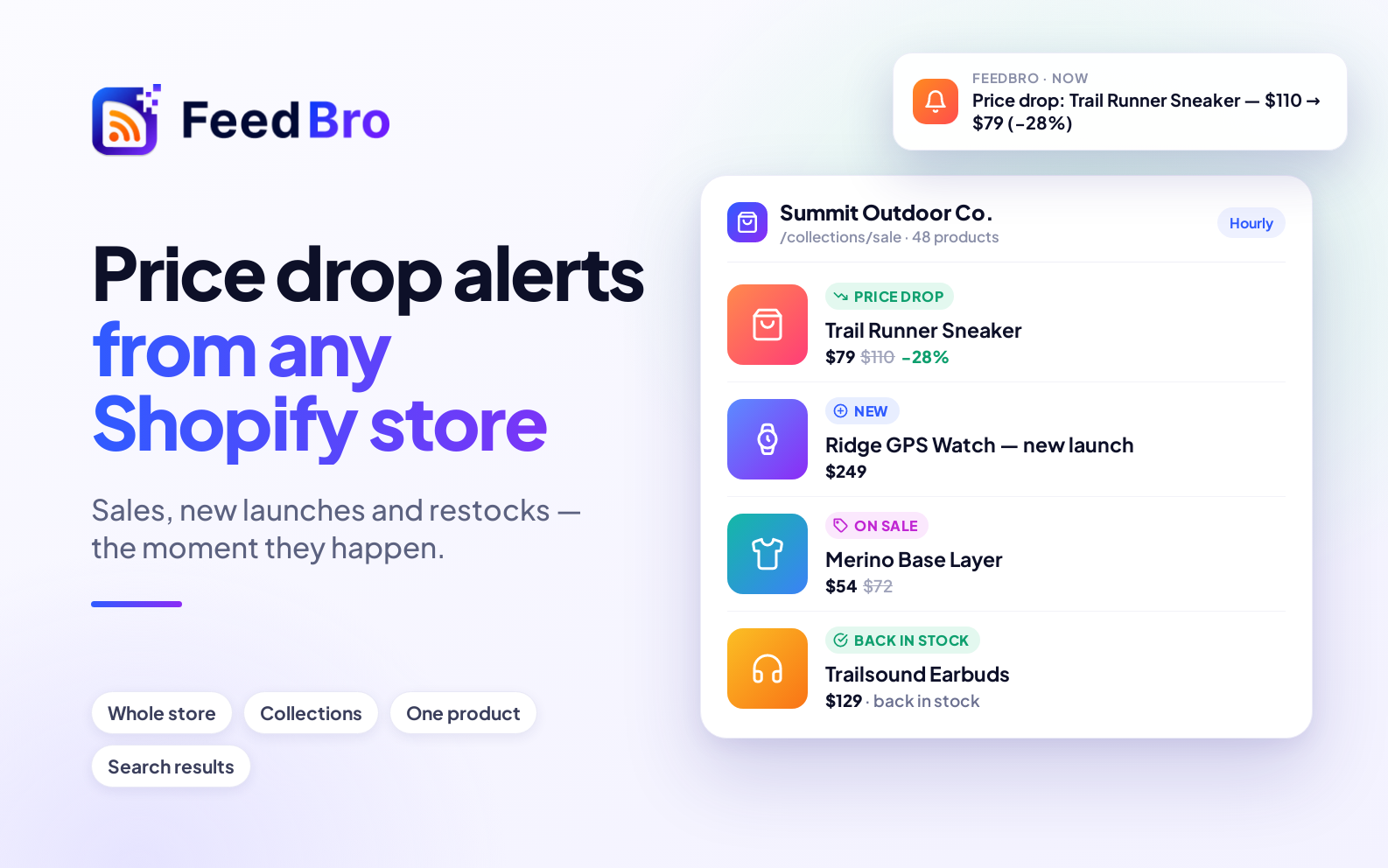
- 🆕 New product — something that wasn't in the store before, with its price.
- 💸 Price drop — the old and new price and how much you save, e.g. "$110 → $79 (−28%)".
- 🏷️ On sale — a sale price appears, with the original price shown.
- 📈 Price up — useful if you're about to buy.
- ✅ Back in stock and ⛔ Sold out.
Each one arrives in your reader with the product's picture, its price (with the old price struck through when it's on sale) and a link straight to the product.
Watch exactly what you care about
Paste whichever Shopify page fits what you want to follow:
- The store's home page — the whole store.
- A collection, like
/collections/saleor/collections/mens-shoes— just that range. - A single product — its price and stock, for one thing you're waiting for.
- A search results page — e.g. the store's search for "running shoes".
FeedBro recognises Shopify stores and reads their product information directly, so prices and stock are exact — it isn't guessing from the page's design.
How to set it up
- Copy the address of the store, collection, product or search page.
- Open Website Watch, paste it and press Watch this page.
- Its products appear in your reader, one article each, with their pictures and prices — that's the starting point. From now on, only changes arrive.
Turn changes into alerts
Go to Rules and add a rule such as title contains "Price drop" with the Push notification action. Every price drop in the stores you watch then reaches your phone (in the FeedBro Android app) or your browser. Combine words to narrow it down — a brand, a size, a product name.
Free and Coffee Club
- Free: watch up to 3 pages or stores, checked once a day (the first page of each list).
- Coffee Club ($4.99/month): up to 10, checked every hour, every page of a long list read, and pages that build their list with JavaScript.
A tip for sales events: watch the store's sale collection on the Coffee Club for hourly checks, so you hear about a flash sale the same hour it starts.