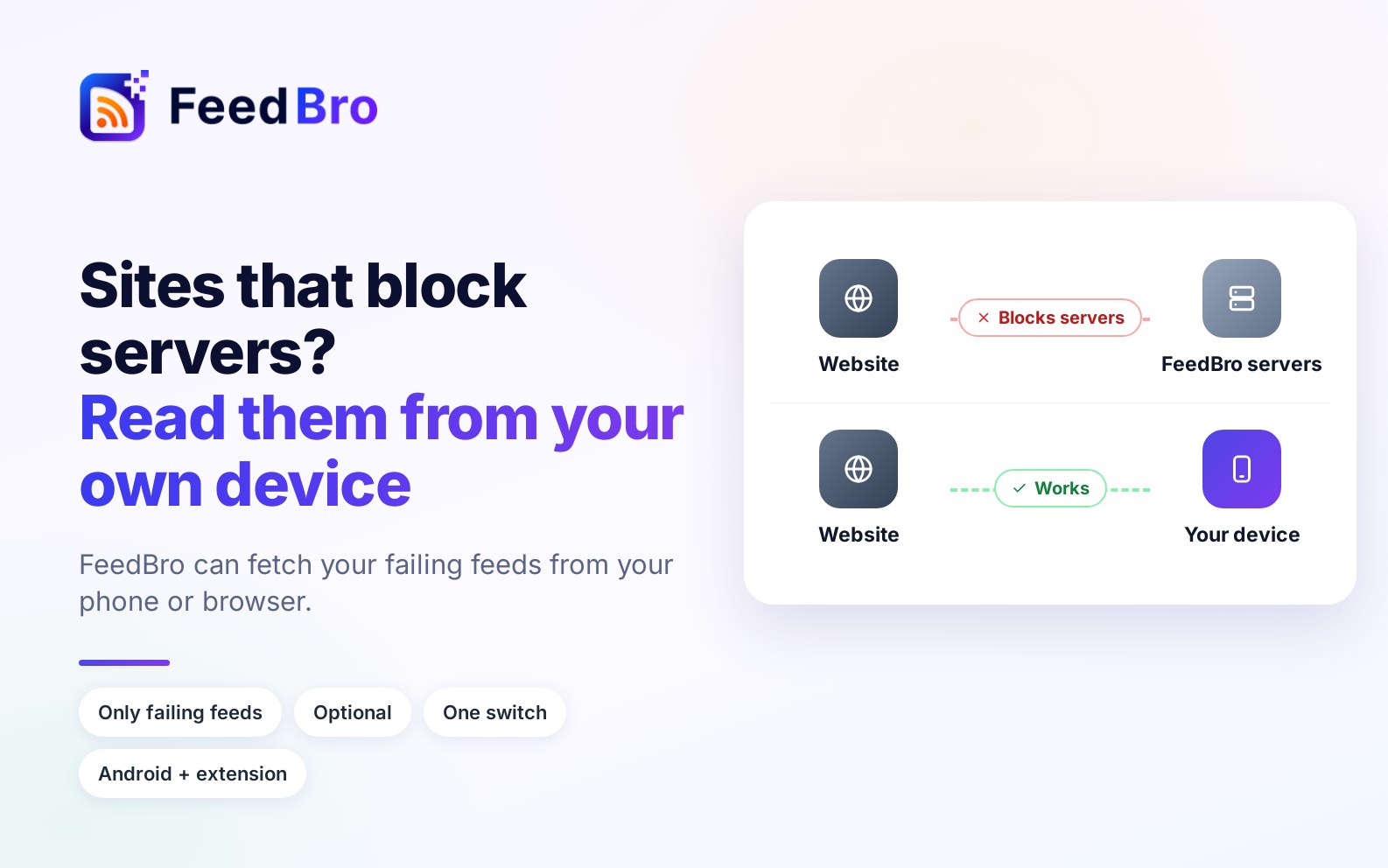
You paste a feed address and it opens fine in your browser. FeedBro, though, says it cannot reach it. The reason is almost always the same: the site blocks the data-centre addresses FeedBro's servers use, or the countries they run from, while welcoming an ordinary visitor like you.
What changed
FeedBro can now ask your own device to fetch those feeds. The FeedBro Android app and the Chrome and Firefox extensions can download a failing feed over your own connection and pass it to FeedBro. Because a feed is shared by everyone who follows it, the update then reaches them too.
What it touches, and what it does not
- Only feeds you follow that are failing. Nothing else on your device is read or sent.
- A few feeds at a time, at most every 30 minutes, while the app is open.
- Checked before it is used: FeedBro keeps the result only if it is a real feed and its items point to the feed's own site.
It is your choice
It is on by default, and you see a notice the first time. One switch in Settings turns it off whenever you want, and nothing is fetched from your device after that. In the browser, Chrome asks for its extra permission once, from a click, so it can never happen silently.
Why we did it
Some of the most useful feeds belong to sites that block every server. Reading them from the person who actually follows them is the one thing those sites do not block. Everything else about FeedBro keeps working the same way.